CT kidneys — bilateral renal calculi
Coronal section · calculi in both kidneys
Kristie Guite, Louis Hinshaw and Fred Lee · CC BY 3.0 · Wikimedia Commons. Coronal panel from the original comparison; cropped as in the app.

Radiology · 52 cases
A free 3D anatomy atlas for your computer. Explore the body from superficial to deep, name what a section reveals, and study anatomy offline.
Right rectus femoris
Musculus rectus femoris
Extends the knee and flexes the hip.
Atlas · TA2 2614 · Right side
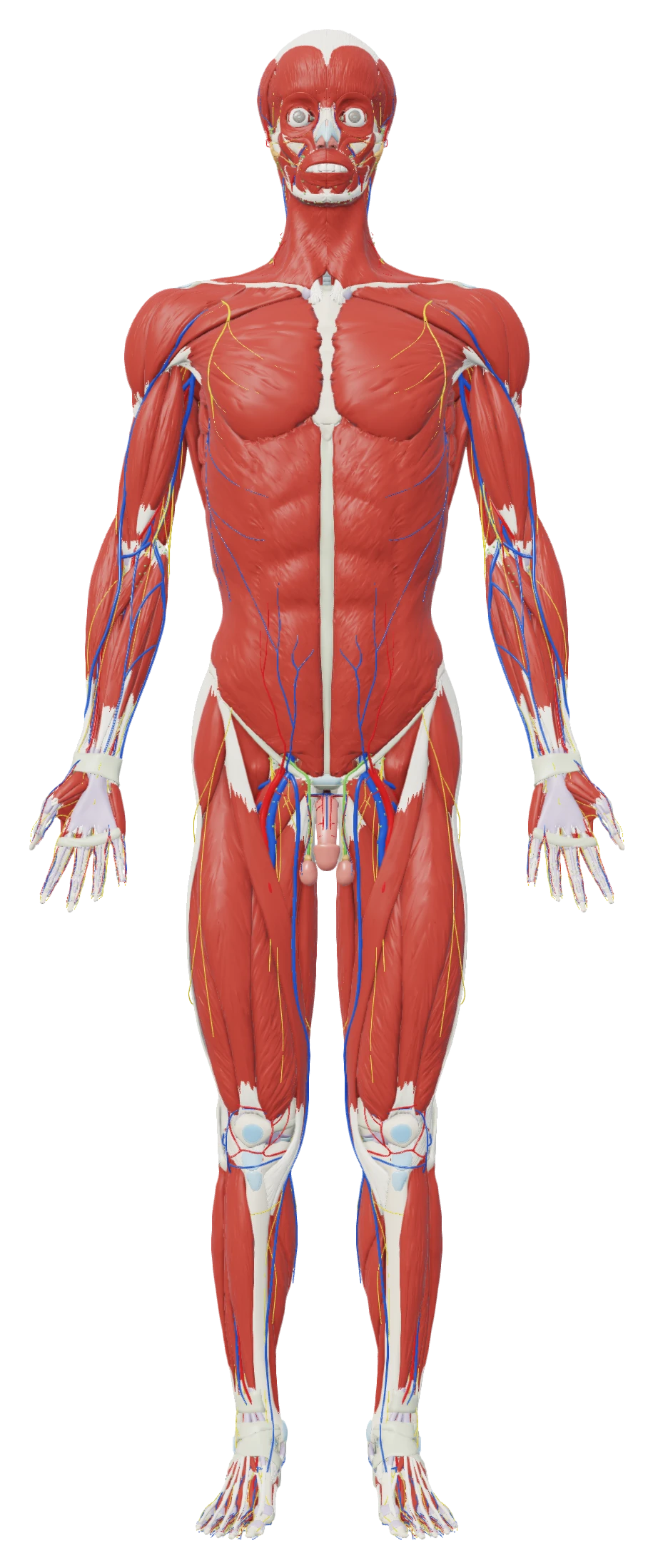
Drag the knob down the depth scale and superficial structures give way to deeper anatomy. Depth is measured against how thick the body is at each point, so the hand and the thigh are uncovered together. Want one layer on its own? Show only that slab.
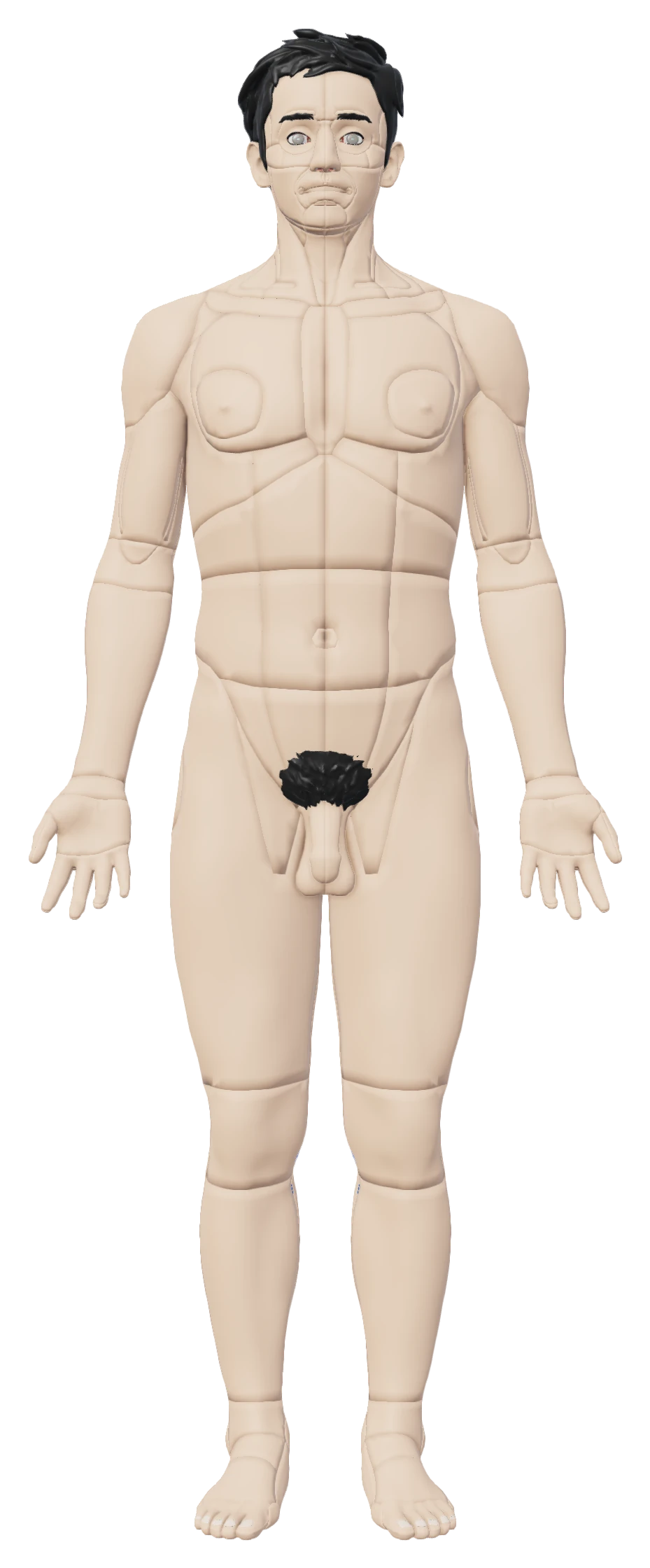
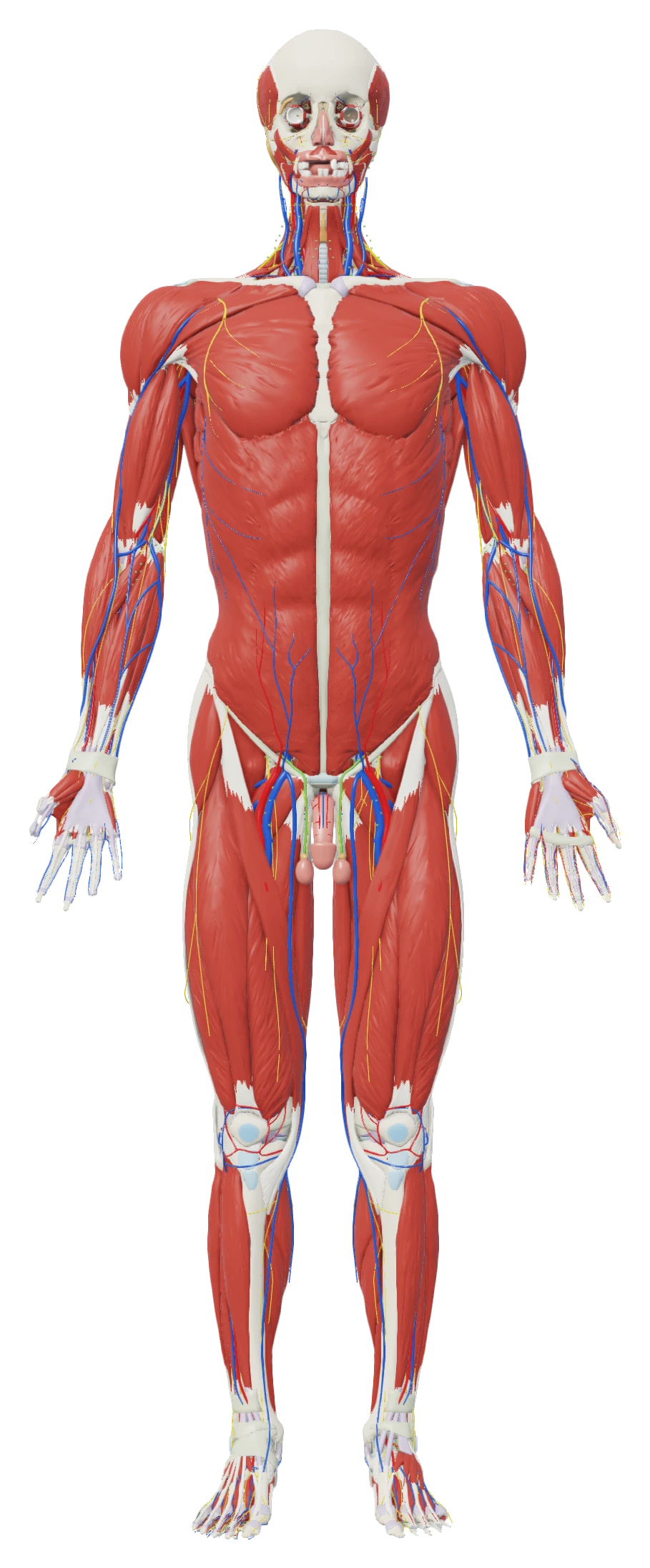
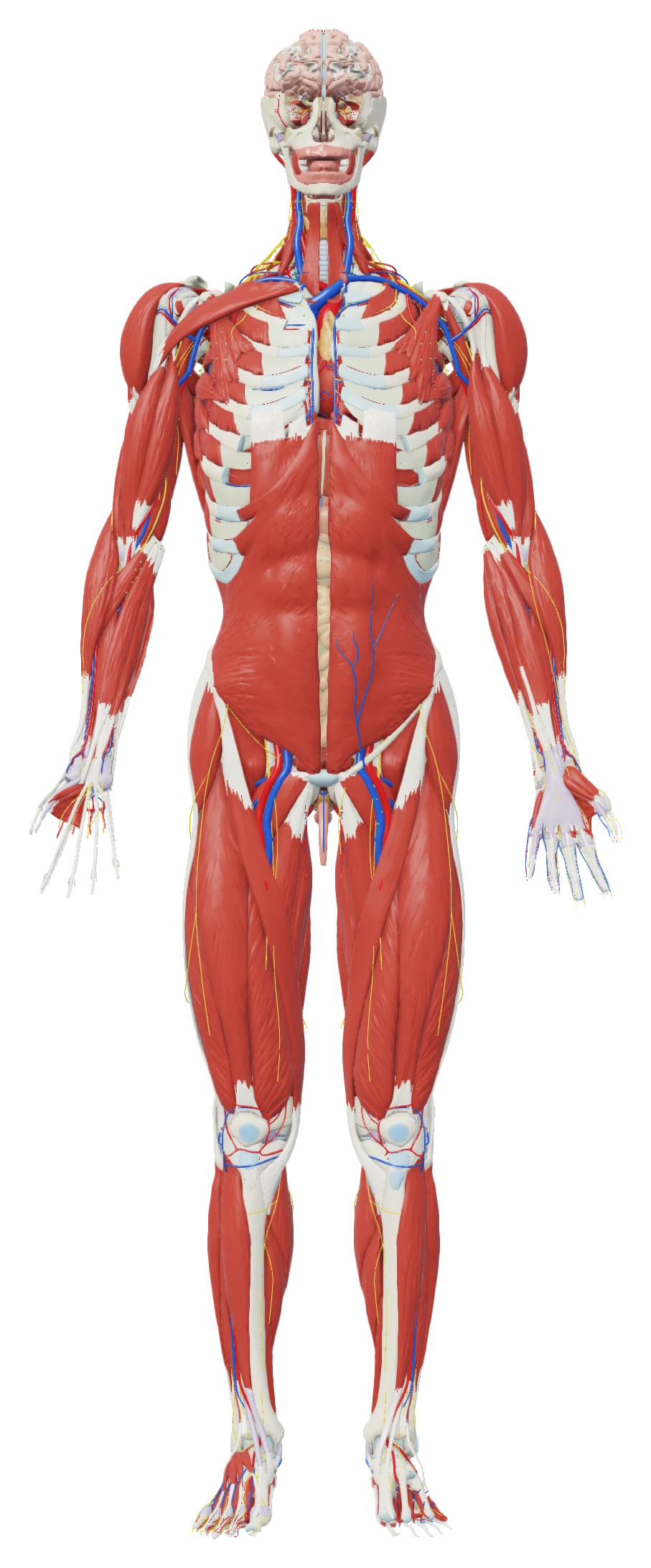
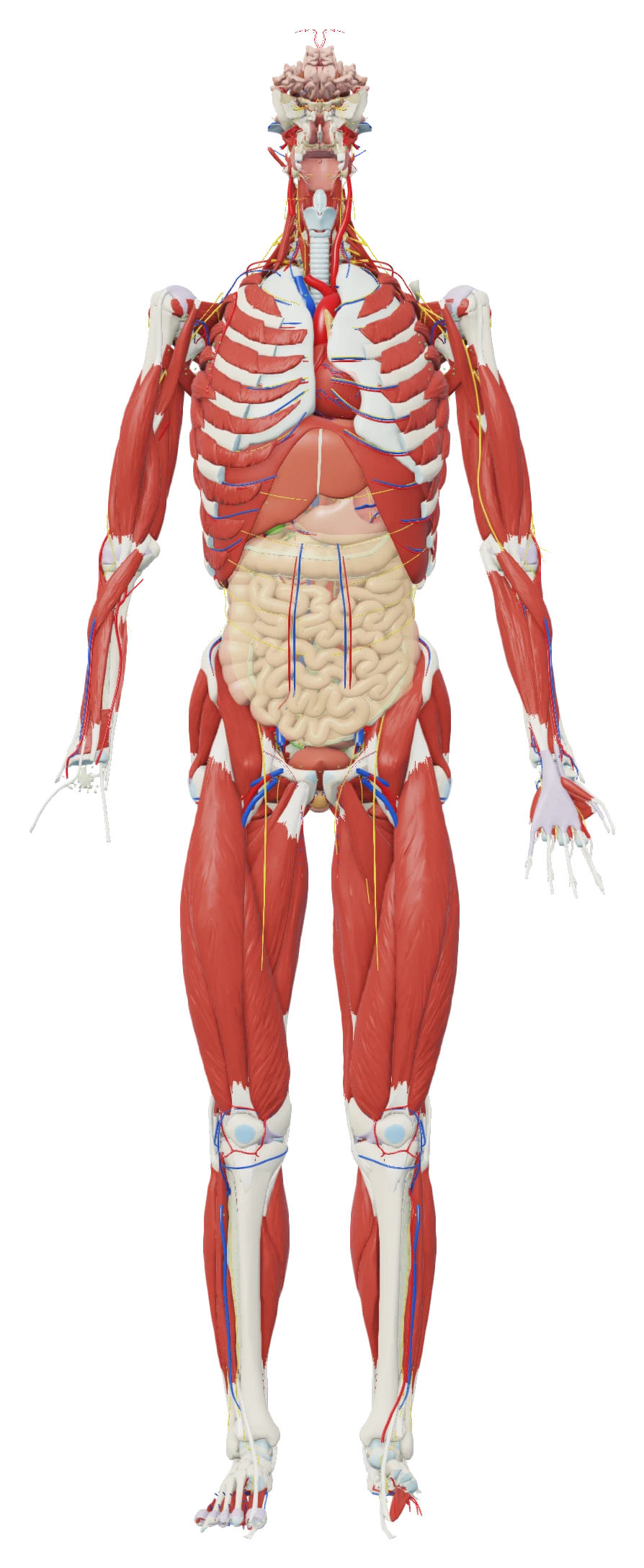
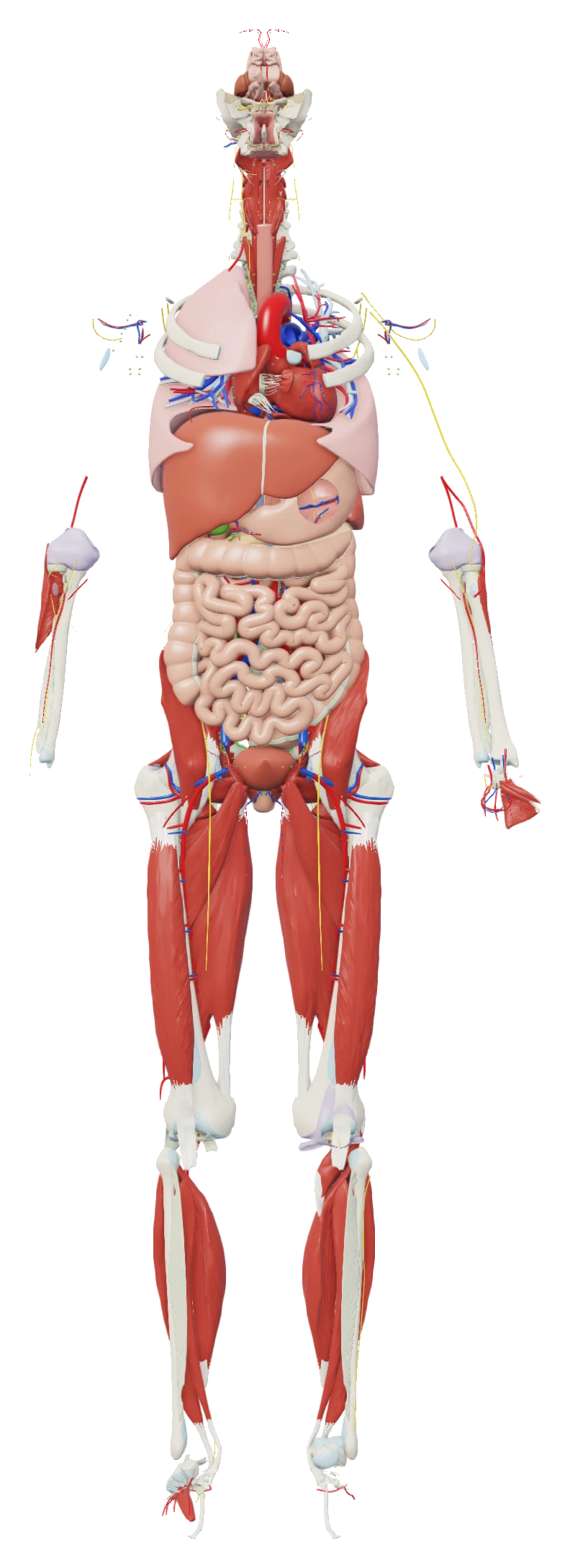
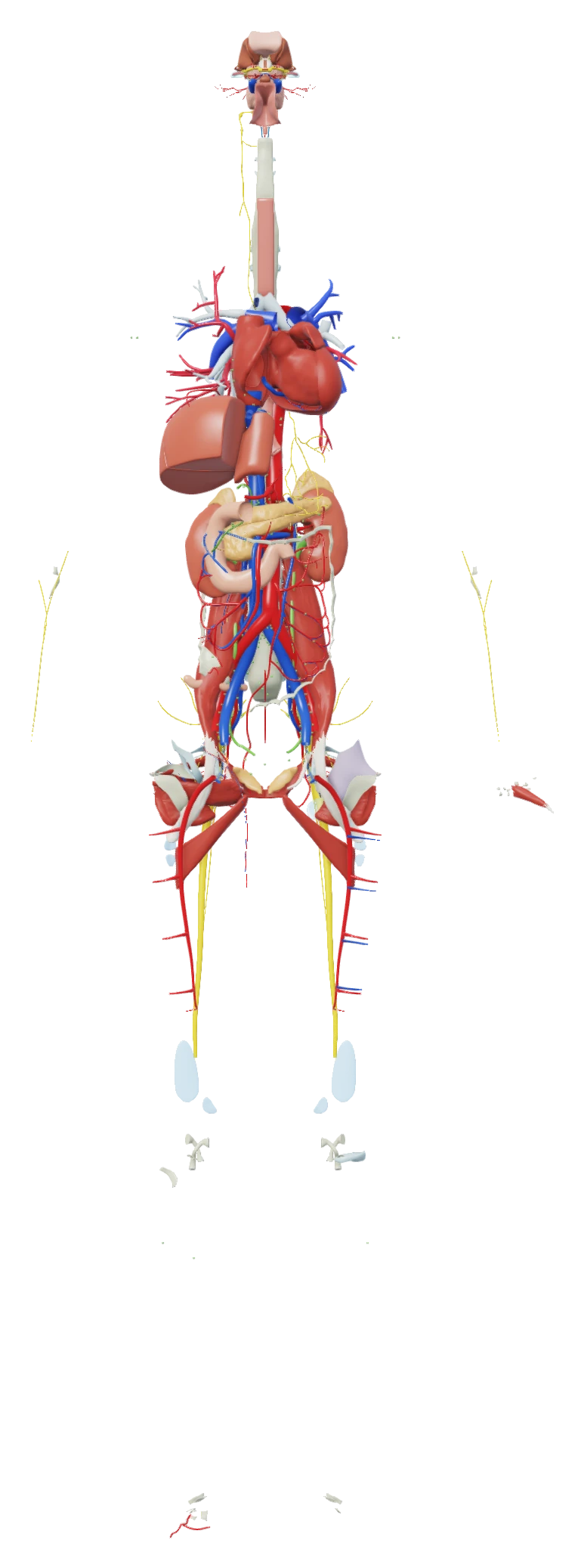
Section the body sagittally, coronally or transversely. Open labels to identify structures along the cut. Numbered markers connect to captions on side rails, using the same label controls as the rest of the atlas.
The cut has passed through the body. Move it toward the front to see the anatomy.
40 interactive 3D models open in the same viewer, with the same controls and labels as the atlas. Step the kidney from the whole organ down to the podocytes. Explore the heart, its chambers and its vessels with the same selection tools.

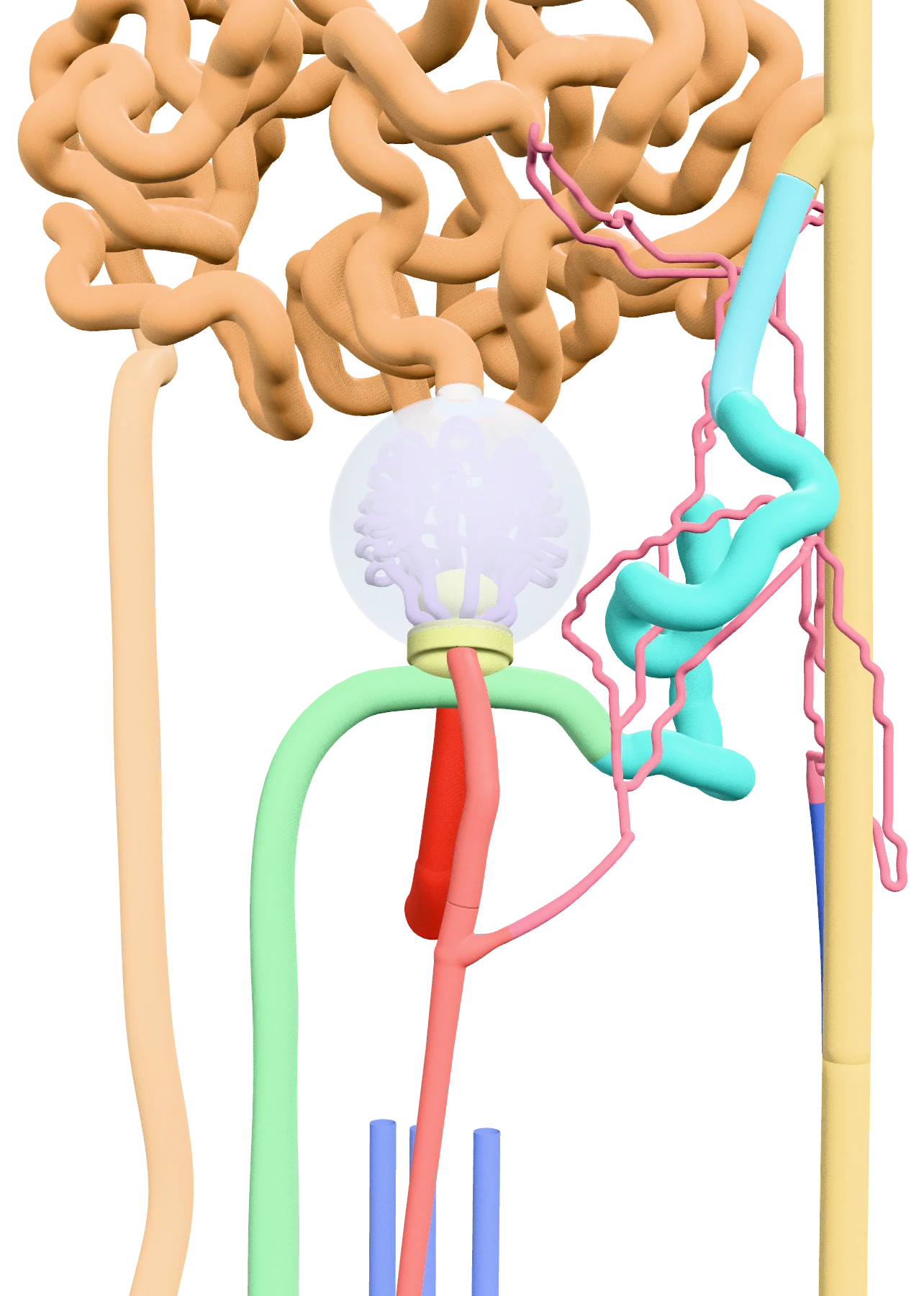
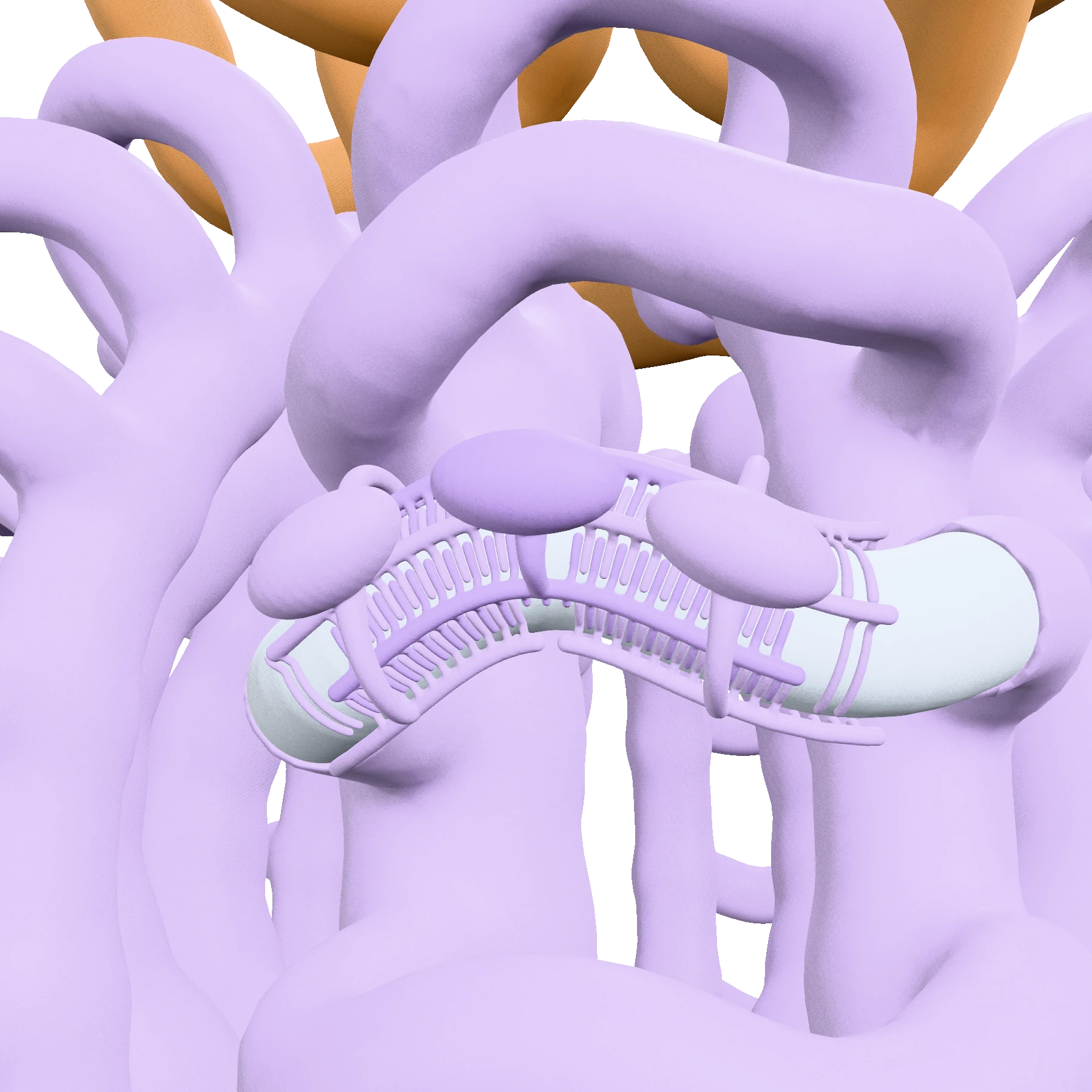
Kidney with the nephron
Ren, nephron, podocytus
Follow the kidney from the whole organ to the renal corpuscle and the podocytes around its capillaries. Stored teaching views bring each scale into focus, so you can rotate the model, identify its structures and see how the smaller parts fit into the organ.
Models · 40 models · one viewer
52 radiology cases bring real medical images and related 3D anatomy into the same workspace. Numbered labels connect the image to its anatomical reference.
The atlas illustrates the anatomy; it is not a scan of that patient. The shape and extent of a finding in the model are illustrative.
Coronal section · calculi in both kidneys
Kristie Guite, Louis Hinshaw and Fred Lee · CC BY 3.0 · Wikimedia Commons. Coronal panel from the original comparison; cropped as in the app.
Radiology · 52 cases
Lateral X-ray · vertebrae and surrounding landmarks
UC San Diego Health radiology staff · Public domain · Wikimedia Commons.
Radiology · 52 cases
Follow a guided lesson with the relevant anatomy beside the explanation. Move through the structures in sequence, then use the recall questions to check what you remember.
In Hunt, nothing is labelled. Peel structures away one at a time and find the one you’re asked for, in three tries.
Review missed questions and revisit the anatomy as you learn.
Lesson previewCore
The aortic arch and the great vessels
Recall before you reveal
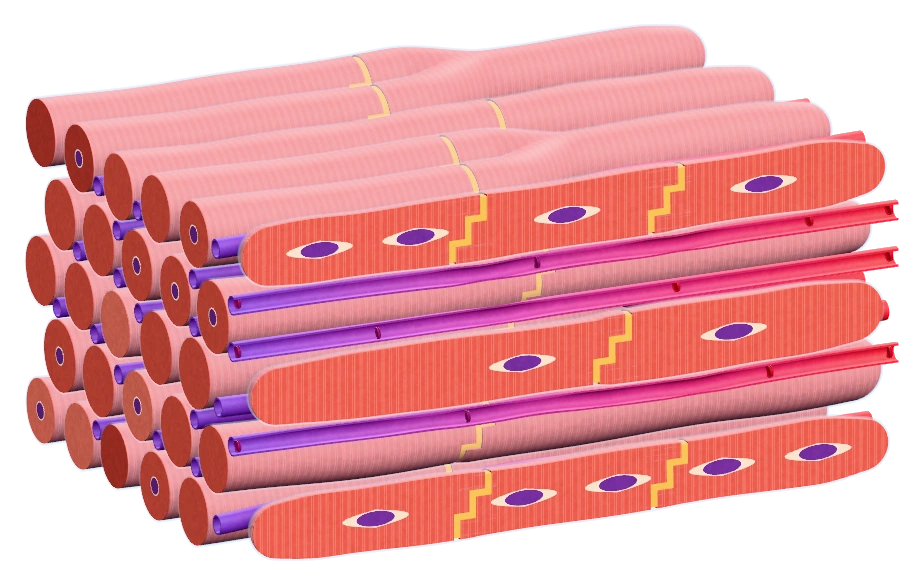
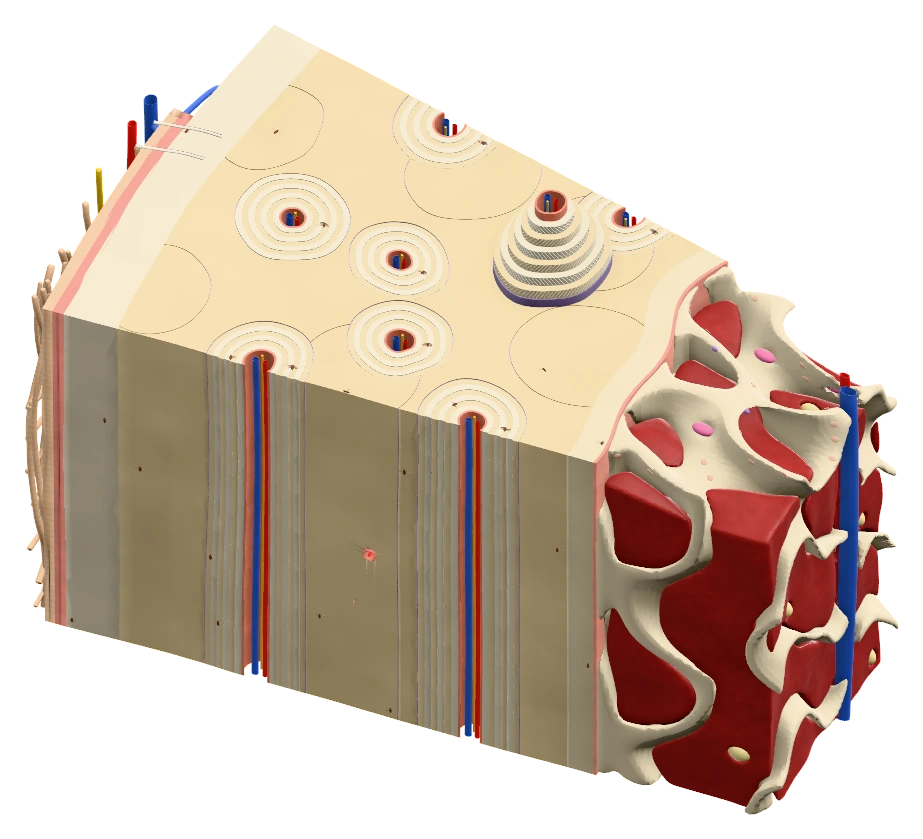
Explore 101 tissue topics with 368 micrographs and 83 diagrams. The models let you examine tissue in depth, from the gut wall and cardiac muscle to compact bone and the eye.
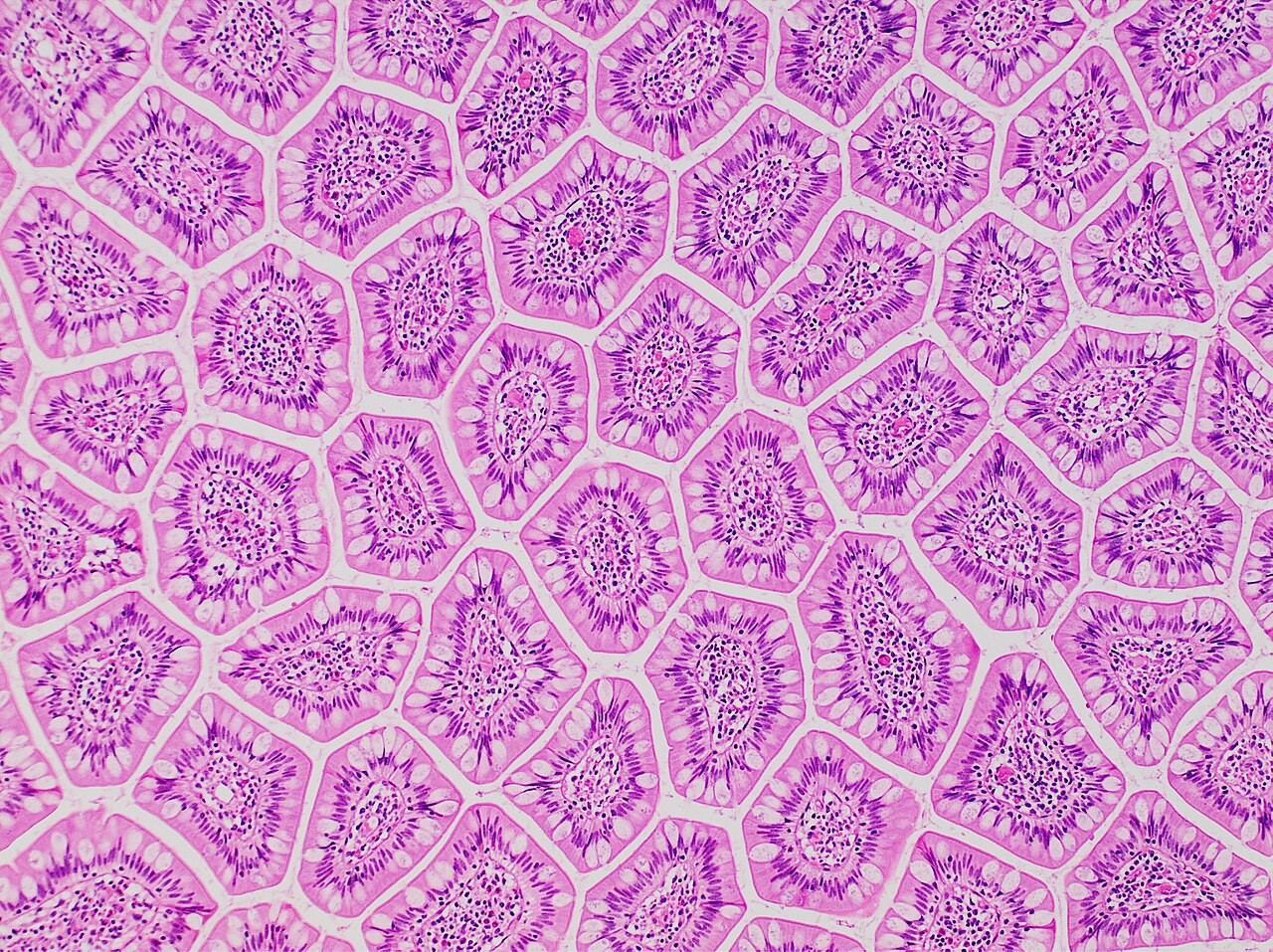
The slide could not load. View the original image on Wikimedia Commons.
Terminal ileum villi in section
H&E · goblet cells and the villus core
Mikael Häggström, M.D. · CC0 · Wikimedia Commons. Study labels are a separate overlay; the source image is unchanged.
Histology · 101 tissue topics

Free for Apple silicon Macs (macOS 13 or later) and Windows. The first time you open it, your computer may warn you. The app isn’t signed with a paid developer certificate, so your computer can’t check who made it. The code is public on GitHub. Here’s what to click.
Layered Human runs on Windows PCs and Apple silicon Macs (macOS 13 or later). There is no iPhone, iPad, or Android version. Open layeredhuman.com on your computer to download it.
Apple silicon (M1 or newer), macOS 13 or later
Download for MacFree · downloads the app and offline anatomy library
A small installer downloads the full app
Download for WindowsFree · downloads the app and offline anatomy library
After installing. Your progress, quiz history and notes stay on your computer, separately from the application files. Find and back up your study files. Changed parts download in the background and open on your next launch. Some updates are large.
Using Linux, or want to run it from source? Instructions on GitHub.
Windows, and Apple silicon Macs (M1 or newer) running macOS 13 or later. Linux users can run it from source.
They stay on your computer. On Windows, paste %LOCALAPPDATA%\AnatomyExplorer\user into File Explorer’s address bar. On macOS, choose Finder → Go → Go to Folder, then enter ~/Library/Application Support/AnatomyExplorer/user. The folder contains your notes, lesson progress and quiz history. The folder name still uses the app’s previous name, Anatomy Explorer.
Save any open note and quit the app, then copy the user folder from the location above somewhere safe. To restore it, quit the app on the destination computer, rename its existing user folder to keep a safety copy, and put your backed-up folder in its place. Saved views and display preferences are stored separately.
Choose Saved views → Save current view and give it a name. Choose that name from Saved views to restore the setup. Manage saved views lets you find and organize saved setups.
Choose Updates → Check for updates…, then Check and download now. When the download is ready, choose Restart to apply, or close and reopen the app. Ordinary updates retain your notes and study history.
The app does not currently have a paid developer signing certificate. The installation instructions explain the prompts for each platform.
Include your operating system, the version shown in the Updates dialog, and the steps that caused the problem. If an error log exists, attach errors.log from %LOCALAPPDATA%\AnatomyExplorer\logs on Windows, or ~/Library/Application Support/AnatomyExplorer/logs on macOS. Report a problem on GitHub.
Layered Human runs entirely on your computer. Your progress, quiz history and notes stay in your own user folder, and normal updates preserve them. Updates download in the background. The code is open source under the MIT licence.
The 3D atlas is adapted from Z-Anatomy and BodyParts3D, shared under CC BY-SA. Terms follow Terminologia Anatomica 2. Radiology and histology images come from Wikimedia Commons contributors, and each one shows its author and licence. Layered Human is a study aid, not a medical device.

